
| DOWNLOAD MARATHI FONT |  Quick Download Kiran.ttf Quick Download Kiran.ttf | ||
| Thanks to Mr.Kiran Bhave for Marathi Fonts www.KiranFont.com | |||

| |||
If you have any problem while reading the above Matter in Marathi. You are required to download the marathi font first to read it properly. This site is created using dynamic font ( supports only  internet explorer browser ) If you are using Netscape Navigator,Mozilla Firefox or any other brwoser then you have to follow the steps given below. For the Windows XP/95/98/NT/2000/ME users. internet explorer browser ) If you are using Netscape Navigator,Mozilla Firefox or any other brwoser then you have to follow the steps given below. For the Windows XP/95/98/NT/2000/ME users. | |||
| |||
| |||
Showing posts with label GOOGLE CHROME. Show all posts
Showing posts with label GOOGLE CHROME. Show all posts
Monday, 14 November 2011
TO SEE MARATHI WORD IN GOOGLE CHROME,FIREFOX,OPERA ,ALL BROWSER(KIRAN FONT DOWNLOAD)

 .
.Friday, 4 November 2011
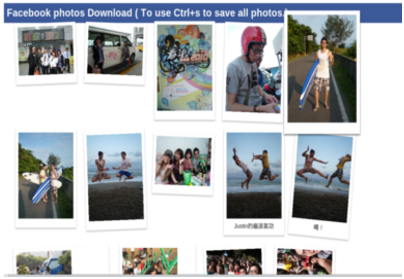
Tricks to download photos from Facebook
Extension for Google Chrome
If you use Google Chrome this will make you comfortable that this extension is integrated to the browser. To download all photos on a page just hit Ctrl + S.Download the extension
Firefox Extension
Similar to the plug-ins for Chrome users here is the one for Mozilla Firefox. ( link )
This fits into the context menu of the operating system. Just right click on a page with the photos you want to download.

Wednesday, 12 October 2011
How to Backup Facebook Data and Download all in a Zip File

1. Login to your Facebook account.
2. Now at the top right side, go to Account > Account Settings.
3. Now in the account settings page, You will see a line like "Download Your Information" with "learn more" link . Click on the learn more link.
4. Then you will come across a page like below.

5. Now click on download. And you will be prompted with downland confirmation. Again click on download. Then press ok.
6. Last time facebook will tell you that, "(Your download is currently being generated. You will receive an email when it's ready.)"
7. So after few times you should check your E-Mail account that is associated with this Facebook account. Facebook will send you the download link to thet email address. Click on this link, enter your Facebook password and download the zip file that contains all your Facebook data.
Sunday, 9 October 2011
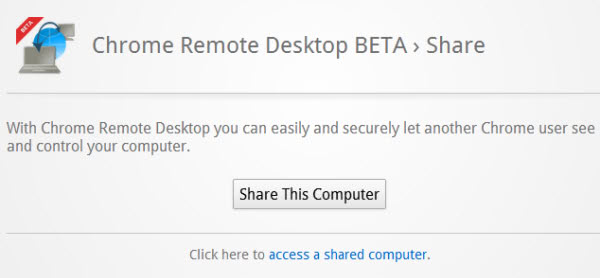
Chrome web browser has been released a remote desktop beta
Chrome web browser has been released a remote desktop beta.

Hi...friends Hope you all are fine. Today, i am going to share one awesome trick. So this is chrome remote desktop this you can be available in chrome store so this can capability allowing a user to remotely access another computer through the chrome browser so you can connect any two computer that has a chrome
browse including windows,linux,mac and any chrome browser well. you can read about more information below link.
For More Details:-chrome.google.com
Subscribe to:
Posts (Atom)